
Unsere Einschätzung
In diesem Video wird erklärt, wie man den richtigen 3D-Drucker für das eigene Zuhause auswählt. Es werden verschiedene Druckertypen, deren Vor- und Nachteile sowie wichtige Faktoren wie Geräuschentwicklung und Größe behandelt.
The Bambu Lab Support channel offers helpful tutorials and guides for Bambu Lab products. The videos focus on optimizing 3D prints and utilizing specific features of the printers.
In diesem Video wird erklärt, wie man den richtigen 3D-Drucker für das eigene Zuhause auswählt. Es werden verschiedene Druckertypen, deren Vor- und Nachteile sowie wichtige Faktoren wie Geräuschentwicklung und Größe behandelt.

In diesem Video wird eine Einführung in den 3D-Druck gegeben. Es werden die Grundlagen des digitalen 3D-Modells, die Vorbereitung mit Bambu Studio und der Druckprozess erklärt.

In this video, the speaker emphasizes the importance of good printing habits. The viewer learns how to keep the build plate clean, let the print cool down, and keep the filament dry. Additionally, automatic calibration and regular cleaning of purge waste are also discussed.

In diesem Video wird eine Einführung in die Software Bambu Handy und Bambu Studio gegeben. Es werden Funktionen wie das Starten und Überwachen von Drucken sowie das Bearbeiten und Slicen von Modellen vorgestellt.

In diesem Video werden die Grundlagen von Filament und dem AMS-System von Bambu Lab erklärt. Es wird gezeigt, wie man mit verschiedenen Filamenttypen arbeitet und die intelligenten Funktionen des AMS 2 Pro nutzt.
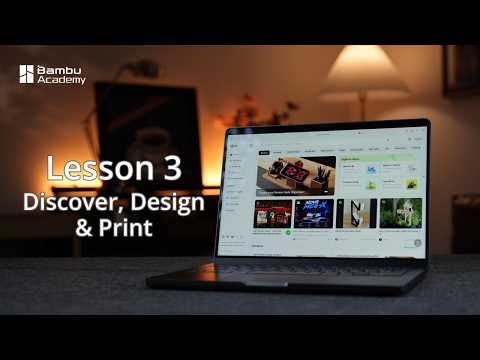
In diesem Video wird gezeigt, wie man Modelle sucht, sortiert und filtert sowie die Einstellungen überprüft. Zudem wird die Nutzung von MakerLab und CyberBrick erläutert, um eigene Designs zu erstellen und zu teilen.

In diesem Video wird das Setup des Bambu Lab Magnetic Levitation Kits Schritt für Schritt erklärt. Die Zuschauer lernen, wie sie die Komponenten anschließen und die magnetische Balance einstellen können.

In diesem Video wird gezeigt, wie man Verstopfungen im Bambu Lab AMS 2 Pro Internal Hub Unit behebt. Es werden zwei Szenarien behandelt, eines ohne Zerlegen und eines mit vollständiger Demontage.

In diesem Video wird eine Schritt-für-Schritt-Anleitung zur Behebung von Verstopfungen in der internen Hub-Einheit des Bambu Lab AMS gegeben. Es werden zwei Szenarien behandelt, die eine effektive Reinigung und Wiederzusammenbau der Einheit demonstrieren.

In diesem Video wird gezeigt, wie man den verbesserten Kühlventilator bei den Bambu Lab H2C und H2D 3D-Druckern austauscht. Es werden wichtige Hinweise zur Demontage und Installation gegeben, um eine sichere Handhabung zu gewährleisten.

In diesem Video wird Schritt für Schritt gezeigt, wie man den Drucker-Gurt bei den Modellen Bambu Lab P2S und X2D ersetzt. Es werden wichtige Sicherheitsmaßnahmen und Kalibrierungstipps gegeben, um eine optimale Druckqualität zu gewährleisten.

In diesem Video wird gezeigt, wie man einen individuellen Schreibtischorganisator im MakerLab entwirft. Der Prozess umfasst parametrisches Design, das Festlegen von Abmessungen und das Exportieren des 3D-Modells für den Druck.

In diesem Video wird eine Schritt-für-Schritt-Anleitung zur Wartung und zum Austausch der Extruder-Komponenten des Bambu Lab X2D 3D-Druckers gegeben. Es wird auf die wichtigsten Schritte und Werkzeuge eingegangen, um eine reibungslose Wartung zu gewährleisten.

In diesem Video wird eine detaillierte Anleitung zur Verpackung des Bambu Lab A2L 3D-Druckers gegeben. Schritt für Schritt werden die notwendigen Schritte erläutert, um den Drucker sicher für den Transport vorzubereiten.

In diesem Video wird eine detaillierte Anleitung zur Verpackung des Bambu Lab A2L 3D-Druckers gegeben. Schritt für Schritt werden die notwendigen Maßnahmen erläutert, um den Drucker sicher für den Transport vorzubereiten.

In diesem Video wird der Parametric Model Maker von Bambu Lab vorgestellt, mit dem Nutzer ihre eigenen Modelle erstellen können. Der Prozess der Anpassung und der anschließende Download sowie Druck werden detailliert erklärt.

In diesem Video wird eine detaillierte Anleitung zur Einstellung der Riemenspannung für den Bambu Lab A2L 3D-Drucker gegeben. Die Schritte umfassen die Spannungsanpassung für die X-, Y- und Z-Achsen sowie die Durchführung einer Kalibrierung.

In diesem Video wird Schritt für Schritt erklärt, wie der Part Cooling Fan des Bambu Lab A2L 3D-Druckers ausgetauscht wird. Die Anleitung umfasst das Entfernen und Installieren der Komponenten sowie das Wiederzusammenbauen des Druckers.

In diesem Video wird gezeigt, wie man das Toolhead Kabel und die Adapter Platine beim Bambu Lab A2L 3D-Drucker austauscht. Schritt-für-Schritt-Anleitungen erleichtern den Prozess für Nutzer.

In diesem Video wird gezeigt, wie man Probleme mit verheddertem Filament bei Bambu Lab A2L Druckern löst. Es werden verschiedene Lösungen vorgestellt, darunter die Nutzung von AMS und externen Spulen.

In diesem Video wird die Vorgehensweise zur Reinigung der Düse des Bambu Lab A2L 3D-Druckers vorgestellt. Es werden drei Methoden erklärt, um Verstopfungen effektiv zu beseitigen.

In this video, the creator shows how to clean and lubricate the X-, Y- and Z-axes of the Bambu Lab A2L 3D printer. The viewer learns the steps for maintenance and calibration of the printer to ensure optimal print quality.

In diesem Video wird der Zusammenbau des ModBrick CyberBrick Remote von Ren_Studio gezeigt. Es ist eine hilfreiche Anleitung für alle, die ihren eigenen Controller auf MakerWorld erstellen möchten.

In diesem Video wird eine Schritt-für-Schritt-Anleitung für den ersten Druck mit dem Bambu Lab A2L 3D-Drucker gegeben. Die wichtigsten Schritte umfassen die Vorbereitung, das Laden des Filaments und das Starten des Drucks.

In diesem Video wird gezeigt, wie man den Extruder Filament Sensor beim Bambu Lab H2S 3D-Drucker austauscht. Der Prozess umfasst das Entfernen des alten Sensors und die Installation des neuen Sensors, unterstützt durch klare Anleitungen.

This video step-by-step explains how to replace the extruder unit of the Bambu Lab A2L. The viewer learns how to remove the hotend and TH board, install the extruder, and restore connections. This guide is particularly helpful for users who want to perform maintenance on their 3D printer.
Bambu Lab A2L

Bambu Lab A2L
Bambu Lab
Bambu Lab A2L
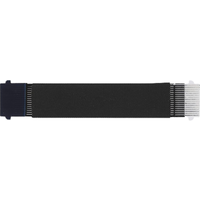
Bambu Lab TH Board
Bambu Lab

Bambu Lab TH Board
Bambu Lab
Bambu Lab Hotend
Bambu Lab
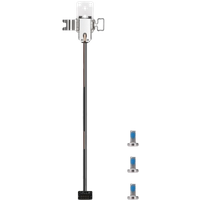
Bambu Lab Hotend
Bambu Lab

Bambu Lab Hotend
Bambu Lab

Bambu Lab Toolhead Filament Hub
Bambu Lab

Bambu Lab Extruder Unit
Bambu Lab
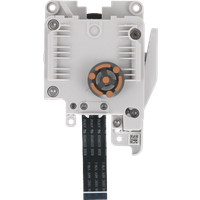
Bambu Lab Extruder Unit
Bambu Lab

Bambu Lab Extruder Unit
Bambu Lab

Bambu Lab Toolhead Filament Hub
Bambu Lab

Bambu Lab Toolhead Filament Hub
Bambu Lab

Bambu Lab TH Board
Bambu Lab

This video step-by-step explains how to replace the heat exchanger unit of the Hotend on the Bambu Lab A2L 3D printer. The viewer learns how to remove the different covers, swap out the hotend, and reassemble everything correctly. This is a useful guide for anyone who wants to perform maintenance work on their printer.
* Produktlinks sind Affiliate-Links. Bei einem Kauf erhalten wir eine kleine Provision – für dich bleibt der Preis gleich.