Unsere Einschätzung
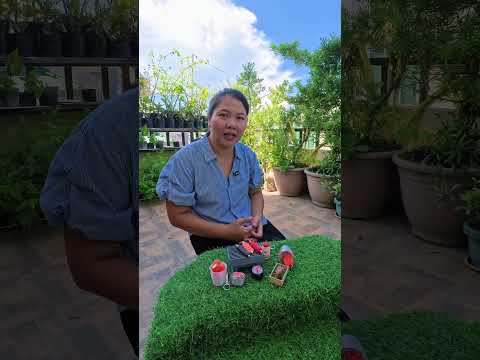
In diesem Video wird das Fidget Clicker Toy in Form von cheesy fries präsentiert, das mit dem Creality 3D SparkX i7 3D-gedruckt wurde. Es zeigt die kreative Anwendung von 3D-Drucktechnologien in der Spielzeugherstellung.
DrShiela3DPrints is a YouTube channel that specializes in 3D printing. Shiela Afalla offers practical tutorials, design workflows, and honest product reviews to support makers and enhance their skills in 3D printing.
In diesem Video wird das Fidget Clicker Toy in Form von cheesy fries präsentiert, das mit dem Creality 3D SparkX i7 3D-gedruckt wurde. Es zeigt die kreative Anwendung von 3D-Drucktechnologien in der Spielzeugherstellung.
In diesem Video wird die kreative 3D-Druck-Projektidee einer Dare Devil Maske für die Katze Baobao vorgestellt. Der Creality SparkX i7 wird verwendet, um dieses unterhaltsame und einzigartige Accessoire zu erstellen.
In this video, Dr. Shiela presents a Fidget Clicker Toy that was 3D printed with various printers. The viewer learns how to create creative toys using the Snapmaker U1 and Bambu Lab Printers P1S and X1C. Additionally, the benefits of each printer are discussed.
In diesem Video wird ein Mini Ice Scramble Fidget Clicker Toy vorgestellt, das mit dem Snapmaker U1 3D-gedruckt wurde. Der Creator bietet zudem die Möglichkeit, den Drucker bei Makerlab zu bestellen.
This video showcases the 3D model of Window Snorlax available on Makerworld, and explains how it is printed using a Snapmaker U1 3D printer. Viewers are also informed about pre-ordering options for the printer at Makerlab, as well as tips and tricks for 3D printing that are useful for both beginners and experienced makers.
In diesem Video wird der Creality SparkX i7 Color Combo 3D-Drucker ausgepackt und vorgestellt. Der Drucker eignet sich sowohl für Anfänger als auch für Hobbyisten und bietet eine hervorragende Druckqualität.
In diesem Video werden 3D-Druck-Lektionen für Kinder vorgestellt. Es wird gezeigt, wie Kinder und Eltern gemeinsam die Welt des 3D-Drucks entdecken können, unterstützt durch den brandneuen Bambu Lab A1.
In diesem Video wird ein Vigan Empanada Fidget Clicker Schlüsselanhänger vorgestellt, der mit dem Creality SparkX i7 3D-Drucker hergestellt wurde. Der Drucker ist ideal für Anfänger und aktuell im Angebot bei Makerlab.
This video explains the necessity of a camera for UV printers in relation to 3D printing, teaching viewers how a camera can improve print quality and comfort during batch printing. The cost of the camera is also discussed along with its advantages compared to traditional methods such as jigs.
In diesem Video zeigt Dr. Shiela, wie man ein 3D-Modell eines Baluts mit ZBrush erstellt. Es wird auch auf alternative Software wie Blender hingewiesen, die kostenlos ist und viele Tutorials bietet.
In diesem Video wird ein 3D-gedrucktes Balut Fidget Clicker Toy vorgestellt, das mit dem Snapmaker U1 erstellt wurde. Der Drucker eignet sich besonders gut für mehrfarbige Drucke in einer Schicht.
In diesem Video wird gezeigt, wie man anpassbare parametrische Modelle mit der Bambu Handy App direkt auf dem Smartphone bearbeiten kann. Ideal für alle, die unterwegs personalisierte 3D-Drucke erstellen möchten.
In diesem Video zeigt Dr. Shiela, wie man 3D-gedruckte Teile erstellt und verkauft. Außerdem gibt es einen Einblick in das Truck Simulator Gameplay, während sie ihre Druckergebnisse präsentiert.
This video features the Creality SparkX i7 3D printer, which will be released in 2026. Additionally, the new CFS lite Multi-Filament Change System from Creality is presented, which ensures an improved user experience.
This video features a colorful, 3D-printed game that is easy to print and assemble. It is recommended to use seven colors to successfully complete the project.
In this video, Dr. Shiela demonstrates how to create DIY signal lights and a horn using 3D printing and basic electronics. It emphasizes the importance of knowledge in both areas for makers.
In this video, Dr. Shiela demonstrates how to quickly and efficiently print parts that are hard to find using the Snapmaker U1. Within an hour, a solution for a specific problem is presented.
In this video, the Snapmaker Orca Full Spectrum Output is presented with a layer height of 0.2 mm. The author discusses the effects of mixed colors on print time and material consumption.
In this video, the Snapmaker Orca Full Spectrum is introduced, which allows printing with four filaments in ten different colors. The viewer learns how the software works and what options it offers for the Snapmaker U1. Additionally, there is a mention of the pre-order for the Snapmaker U1 at the Makerlab.
This video showcases UV-printed One Piece Peeker stickers. The process of UV printing is explained in detail, and the results are impressive.
This video presents a Fidget Screw Toy that was made with a 3D printer. The viewer learns how to create the design and optimize the printing process. Tips for handling and using the toy are provided.
This video presents the most expensive keychain of the year 2026, which was 3D printed with the Creality K2 Plus and the Snapmaker U1. The winner of the Fidget Clickers is Zyth Abello, and the video offers interesting insights into 3D printing techniques.
In this video, Dr. Shiela presents a 3D-printed fidget toy in the shape of a Chewy Cookie. The viewer learns how to work with the Bambu Lab H2C and H2S printers and gains insights into the materials used. Additionally, the creative design of fidget toys is discussed.
Bambu Lab H2C
Bambu Lab H2C
Bambu Lab H2S
Bambu Lab
Bambu Lab H2S
Bambu Lab H2S
Bambu Lab
esun PLA+ brown
eSUN
esun PLA+ brown
eSUN
esun PLA+ brown
eSUN
panchroma forest green
Polymaker
panchroma forest green
Polymaker
panchroma forest green
Polymaker
In this video, Dr. Shiela shows how to convert an SVG file into a 3D model and then 3D print it. The viewer learns how to create a design using Canva and convert it into a 3D model using Bambu Studio. This method is excellent for creating name tags, logos, keychains, and cake toppers.
In this video, the creator demonstrates how to convert an SVG file into a 3D printable design for a cake topper using the free software tools Inkscape and Bambu Studio. The viewer learns how to edit SVG files and transform them into a print-ready 3D model that can also be used for other applications such as logos and name tags.
In this video, Dr. Shiela demonstrates how to create 3D-printed letter beads for leather charm pendants. The viewer learns about the use of the Bambu Lab 3D A1 printer as well as the materials PLA and PETG. Additionally, it explains how to design and print the beads to create custom charms.
Polymaker PolyLite PLA Pro
Polymaker
Polymaker PolyLite PLA Pro
Polymaker
Polymaker PolyLite PLA Pro
Polymaker
Esun PETG
Esun PETG
Esun PETG
Bambu Lab 3D A1
Bambu Lab 3D A1
Bambu Lab 3D A1
Bambu Lab
In this video, Dr. Shiela demonstrates how to create 3D-printed leather charm beads. The viewer learns about the techniques and materials needed to design creative and unique jewelry pieces. The entire process of design and printing is covered to provide inspiring ideas for personal projects.
This video introduces the Bambu Lab H2C 3D printer, which is capable of creating multicolored prints. The viewer learns how to optimize the print settings and improve print quality. Additionally, accessories such as the AMS are discussed to facilitate the printing process.
This video explains how to achieve smooth 3D prints. The viewer learns various techniques to improve print quality and surface finish. Additionally, specific printers and software are introduced that ensure optimal results.
Anycubic Photon Mono X
ANYCUBIC
Anycubic Photon Mono X
ANYCUBIC
Anycubic Photon Mono X
ANYCUBIC
Polymaker PolyLite PLA
Polymaker
Polymaker PolyLite PLA
Polymaker
Polymaker PolyLite PLA
Polymaker
Elegoo Mars 2 Pro
Elegoo
Elegoo Mars 2 Pro
Elegoo
Elegoo Mars 2 Pro
Elegoo
Prusa i3 MK3S+
Prusa
Prusa i3 MK3S+
Prusa
This video shows how to create a 3D-printed figure of Eevee. The viewer will learn the steps of 3D modeling and print preparation, as well as tips for optimal use of the Bambu Lab H2C Combo printer. Additionally, the filament used will be introduced and its properties explained.
In this video, the Bambu Lab H2C 3D printer is introduced, which is characterized by its eco-friendly printing methods. The viewer learns how to print with less waste while increasing efficiency. Additionally, tips for optimal use of the printer are provided.
In this video, the Bambu Lab H2C Combo 3D printer is unpacked and set up. The viewer learns about the special features of the printer, such as the dual hotend and the Vortek automatic hotend swap system, which make multi-color printing more efficient. Additionally, the video discusses the fast and secure delivery of the device.
In this video, a mini top box with mini helmets is presented, which was completely produced using 3D printing. The viewer learns how to create such miniature models and which printers and materials are suitable for this. The various steps of the printing process are discussed, and tips for optimization are provided.
Creality Ender-3 V3
Creality Ender-3 V3
Creality
Creality Ender-3 V3
Anycubic Photon Mono X
ANYCUBIC
Anycubic Photon Mono X
ANYCUBIC
Anycubic Photon Mono X
ANYCUBIC
Polymaker PolyLite PLA
Polymaker
Polymaker PolyLite PLA
Polymaker
Polymaker PolyLite PLA
Polymaker
Prusa Mini+
Prusa
Prusa Mini+
Prusa
Elegoo Mars 2 Pro
Elegoo
Elegoo Mars 2 Pro
Elegoo
Elegoo Mars 2 Pro
Elegoo
This video demonstrates how to create 3D models using the Tinkercad app on your phone and then prepare them for 3D printing. The focus is on user-friendliness and the possibilities that Tinkercad offers.
This video demonstrates how to create 3D models using Shapr3D on the iPad and then prepare them for 3D printing. The focus is on practical application and the steps from model to print preparation.
This video demonstrates how to create 3D models with ZBrush and prepare them for 3D printing. Various printers are presented that are suitable for implementing the models.
This tutorial shows how to insert shapes, text, or numbers into a 3D object, such as a Fidget Clicker. No special software is required, just a slicer to edit and print the models.
In this video, Dr. Shiela demonstrates how to create a 3D-printed storage box with a continuous design. She uses the Creality3D K2 Plus Combo printer and a laser engraving machine for the manufacturing process.
This video shows how to create a 3D-printed name stand that is perfect for gifts or as a display piece. The viewer will learn how to download the file from Makerworld and use the Creality K2 Pro for printing. Additionally, it covers the use of gold and purple filaments available at Makerlab Electronics.
This video explains the necessity of a filament dryer in 3D printing. The viewer learns how moisture can affect print quality and which products are recommended for drying filaments. Additionally, tips are provided on how to achieve the best results when printing.
In this video, Dr. Shiela explains how to fix an extruder blockage in a 3D printer. The viewer learns what steps are necessary to get the printer running again and how to identify common problems. Additionally, tips for maintenance are provided to avoid future disruptions.
In this video, the YouTuber compares the Bambu Lab A1 and Bambu Lab A1 Mini models. The viewer learns about the differences in print quality and the features of both printers to make an informed purchasing decision.
In this video, Dr. Shiela demonstrates how to paint a Fidget Clicker model in two colors. The viewer learns how to use the filament change function in Bambu Studio or Creality Print. Additionally, it is pointed out that it is necessary to modify the model to integrate a blank plate for printing.
Bambu Lab X1 Carbon
Bambu Lab X1 Carbon
Creality K2 Plus
Creality K2 Plus
Creality
Creality K2 Plus
Bambu Lab P1S
Bambu Lab P1S
Bambu Lab
Bambu Lab P1S
Bambu Lab
Halot Mage S
Creality DE
Halot Mage S
Halot Mage S
Bambu Lab X1 Carbon
Creality Print
* Produktlinks sind Affiliate-Links. Bei einem Kauf erhalten wir eine kleine Provision – für dich bleibt der Preis gleich.