
Unsere Einschätzung
In diesem Video wird erklärt, wann und wie man Stützen für 3D-Drucke benötigt. Es werden verschiedene Methoden und Einstellungen vorgestellt, um optimale Druckergebnisse zu erzielen.
ItsMeaDMaDe is a YouTube channel that focuses on 3D printing and painting 3D prints for beginners. The channel offers helpful tips and tutorials to make it easier for newcomers to enter the world of 3D printing.
In diesem Video wird erklärt, wann und wie man Stützen für 3D-Drucke benötigt. Es werden verschiedene Methoden und Einstellungen vorgestellt, um optimale Druckergebnisse zu erzielen.
In diesem Tutorial wird erklärt, wie die Haftung der ersten Schicht beim 3D-Drucken verbessert werden kann. Es werden wichtige Aspekte wie die Auswahl der Druckplatte und die Reinigung behandelt, um bessere Druckergebnisse zu erzielen.

In diesem Tutorial wird erklärt, wie man mit den Einstellungen im Bambu Studio stärkere 3D-Drucke erzielt. Der Fokus liegt auf Wänden, Infill-Mustern und der Kombination von Material und Druckausrichtung, um bessere Ergebnisse zu erzielen.

In diesem Tutorial wird die Qualitätseinstellung im Bambu Studio erklärt. Es werden verschiedene Parameter wie Schichthöhe und Druckzeit behandelt, um Anfängern zu helfen, die besten Einstellungen für ihre 3D-Drucke zu wählen.

In diesem Video wird eine Einführung in Bambu Studio gegeben, ideal für Anfänger im 3D-Druck. Es werden die grundlegenden Schritte von der Modellierung bis zum Druck erklärt, um den Einstieg zu erleichtern.

In diesem Video wird das Text Tool von Bambu Studio ausführlich erklärt. Es werden verschiedene Funktionen zur Textbearbeitung und -gestaltung in 3D-Modellen vorgestellt, sowie häufige Probleme und deren Lösungen behandelt.

In diesem Video werden sieben einfache Lösungen vorgestellt, um Probleme mit der Haftung von 3D-Drucken zu beheben. Der Fokus liegt auf der Optimierung der ersten Schicht und der richtigen Vorbereitung des Druckbetts.

In diesem Video wird eine einsteigerfreundliche Anleitung für Flash Studio und FlashPrint präsentiert. Der Zuschauer lernt die grundlegenden Schritte, um Modelle erfolgreich für den 3D-Druck vorzubereiten.

In diesem Video wird gezeigt, wie man ein Mario-Modell mit Sharpie-Umrissen verfeinert, zusammenklebt und mit einem Klarlack schützt. Es werden wichtige Techniken wie das Trockenanpassen und das Auftragen eines matten Klarlacks behandelt.

In diesem Video wird gezeigt, wie man einfache Schattierungen und Highlights auf 3D-Drucken anwendet, um den Modellen mehr Leben einzuhauchen. Der Fokus liegt auf der Farbmixtur und der Anwendung eines cartoonhaften Stils.

In diesem Video wird gezeigt, wie man mit dem Farbblockieren von 3D-Drucken beginnt, indem die Hauptfarben aufgetragen werden. Es werden grundlegende Maltechniken und Tipps zur Farbverdünnung vermittelt.

In diesem Video wird erklärt, warum Primer wichtig ist und wie man ihn richtig aufträgt, ohne die Details des Modells zu verdecken. Der Fokus liegt auf der Verwendung von grauem Primer für das Mario-Modell und Tipps, um den Sand- und Primervorgang zu optimieren.

In diesem Video wird gezeigt, wie man 3D-Drucke optimal für die Lackierung vorbereitet. Es werden wichtige Schritte wie das Entfernen von Stützen, Reinigung und Schleifen behandelt, um ein besseres Ergebnis beim Malen zu erzielen.

In diesem Video wird erklärt, wie man sich auf das Malen von 3D-Drucken vorbereitet. Es werden wichtige Aspekte wie die Auswahl eines Modells, Slicing-Grundlagen und die benötigten Werkzeuge behandelt.

In diesem Video wird die 3D Print Guild vorgestellt, eine unterstützende Gemeinschaft für alle, die 3D-Druck lernen möchten. Die Guild bietet strukturierte Schulungen und einen direkten Austausch mit anderen Mitgliedern, um den Lernprozess zu erleichtern.

This video explains why 3D prints often fail and how beginners can identify the causes of errors. The viewer learns that small adjustments over time can have a big impact and receives helpful troubleshooting tips, especially regarding the first layer and the choice of the right material.

Kingroon PLA
Kingroon

Kingroon PLA
Kingroon
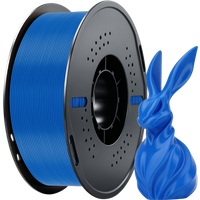
Kingroon PLA
Kingroon
Creality Rainbow
Creality Rainbow
Creality Rainbow
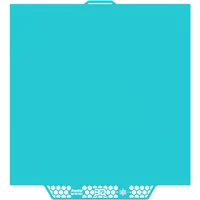
BIQU Cryogrip Plates
BIQU

BIQU Cryogrip Plates
BIQU

BIQU Cryogrip Plates
BIQU
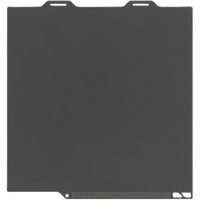
Bambu Lab SuperTack
Bambu Lab
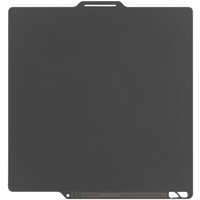
Bambu Lab SuperTack
Bambu Lab
Bambu Lab SuperTack
Bambu Lab
Flashforge Rapid PLA
Flashforge Rapid PLA
Flashforge Rapid PLA

In this video, the most important 3D printing tools are presented that make the hobby easier and more enjoyable. The viewer learns which safety and preparation tools, as well as aids for print removal and post-processing, are essential. These recommendations are based on over a decade of experience in 3D printing and aim to help improve print quality and workflow.

In this video, various multicolor 3D printers under $500 are tested. The viewer learns which models work well, which have difficulties, and which device is particularly surprising. This saves time and money when purchasing a suitable printer.
AnyCubic Kobra 3 V2
AnyCubic Kobra 3 V2
AnyCubic Kobra 3 V2
AnyCubic Kobra S1
Bambu Lab A1
Bambu Lab A1
Bambu Lab A1

Creality HI mit CFS
Creality DE

Creality HI mit CFS

Flash Forge AD5X
Creality HI with CFS
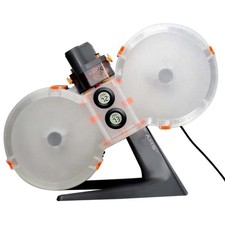
Bambu Lab A1 Mini

This video explains the most common mistakes that beginners make when 3D printing and how to avoid them. The viewer learns which build plates provide better adhesion and receives recommendations for affordable as well as colorful filaments. Additionally, the importance of proper preparation and maintenance is discussed.
Kingroon PLA
Kingroon
Kingroon PLA
Kingroon
Kingroon PLA
Kingroon
Creality Rainbow
Creality Rainbow
Creality Rainbow
BIQU Cryogrip Plates
BIQU
BIQU Cryogrip Plates
BIQU
BIQU Cryogrip Plates
BIQU
Bambu Lab SuperTack
Bambu Lab
Bambu Lab SuperTack
Bambu Lab
Bambu Lab SuperTack
Bambu Lab
Flashforge Rapid PLA
Flashforge Rapid PLA
Flashforge Rapid PLA

In this video, the 'Pause at Layer' function in Bambu Studio is introduced, which is often overlooked. The viewer learns how to set up this function to perform color changes, embed hardware, and set checkpoints in long prints. This significantly changes the approach to 3D printing.
Bambu Lab X1-Carbon
Bambu Lab AMS 2 Pro

Bambu Lab AMS 2 Pro
Bambu Lab
Bambu Lab H2D
Bambu Lab H2D
Bambu Lab X1-Carbon
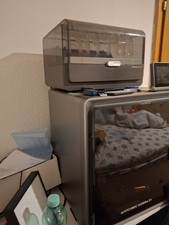
Bambu Lab X1-Carbon
Anycubic
Bambu Lab P1S
Bambu Lab P1S
Bambu Lab P1S
Bambu Lab AMS 2 Pro
Flashforge Rapid PLA
Flashforge Rapid PLA
Flashforge Rapid PLA

Bambu Lab A1

In this video, part two of the Bambu Studio 2.2 update is covered. The viewer learns how the placement of seams has been improved for overhangs, how to slow down tall prints for more stability, and how the new tool for filling connected areas speeds up multi-color work. Additionally, the improved text tool is introduced, which makes customizing prints easier.
Bambu Lab H2D
Bambu Lab H2D
Bambu Lab X1-Carbon
Bambu Lab X1-Carbon
Bambu Lab X1-Carbon
Anycubic
Bambu Lab P1S
Bambu Lab P1S
Bambu Lab P1S
Bambu Lab AMS 2 Pro
Bambu Lab AMS 2 Pro
Bambu Lab AMS 2 Pro
Bambu Lab
Bambu Lab SuperTack
Bambu Lab
Bambu Lab SuperTack
Bambu Lab
Bambu Lab SuperTack
Bambu Lab
Bambu Lab A1

In this video, the new features of Bambu Studio 2.2 are presented, which can significantly improve the 3D printing workflow. The viewer will learn about the Helio Additive Simulation and the Fuzzy Skin Painting Tool, among other things. Additionally, it explains how to work creatively with color palettes for filaments.
Bambu Lab H2D
Bambu Lab H2D
Bambu Lab X1-Carbon
Bambu Lab X1-Carbon
Bambu Lab X1-Carbon
Anycubic
Bambu Lab P1S
Bambu Lab P1S
Bambu Lab P1S
Bambu Lab AMS 2 Pro
Bambu Lab AMS 2 Pro
Bambu Lab AMS 2 Pro
Bambu Lab
Flashforge Rapid PLA
Flashforge Rapid PLA
Flashforge Rapid PLA
Bambu Lab A1

In this video, the creator demonstrates how to effectively use the Seam Painting and Support Painting tools in Orca Slicer. The viewer learns how to hide seams in desired locations and place supports only where they are needed. Additionally, various techniques for identifying overhangs and islands are presented.

This video introduces Orca Slicer, particularly the features of the upper toolbar. The viewer learns how to effectively use the various tools to optimize the 3D printing process and improve print quality. A special focus is placed on the smoothing function for 3D prints, which leads to a professional finish.
In this video, the basics of Nomad Sculpt are taught, a powerful 3D sculpting app. The viewer learns how to navigate the user interface, use essential sculpting tools, and export models for 3D printing. The tutorial is aimed at beginners and offers valuable tips for getting started with digital sculpting.

This video demonstrates how to optimize multicolor prints and save time with Bambu Studio 2.0. The featured products help improve print quality and efficiency.

Bambu Lab H2D
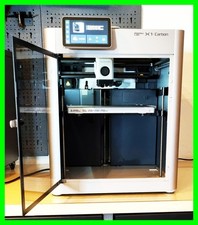
Bambu Lab X1-Carbon

Bambu Lab P1S
Bambu Lab A1
Bambu Lab A1 Mini

Bambu Lab AMS 2 Pro
Bambu Lab AMS Lite
Bambu Lab AMS
BIQU Cryogrip Plates

Bambu Lab SuperTack
Kingroon PLA
Kingroon PLA Triple Silk
Flashforge Rapid PLA
Creality Rainbow

In this video, a significant milestone of 100,000 subscribers is celebrated. The creator thanks the community and offers a free gift to pique viewers' curiosity about upcoming projects and developments.

In this video, the safety of PLA during 3D printing is examined. The creator demonstrates how air monitors are used to check air quality and provides tips for improving the printing environment.
* Produktlinks sind Affiliate-Links. Bei einem Kauf erhalten wir eine kleine Provision – für dich bleibt der Preis gleich.