
Unsere Einschätzung
In diesem Video wird erklärt, wie Mäuseohren helfen, Warping bei 3D-Drucken zu verhindern. Die Methode ist besonders nützlich für lange, flache Modelle und wird in Bambu Studio einfach umgesetzt.
Lion's Art World is a YouTube channel that specializes in 3D printing, modifications, and new technologies. The channel provides insights into projects, machine tests, and valuable tips for makers and creators.
In diesem Video wird erklärt, wie Mäuseohren helfen, Warping bei 3D-Drucken zu verhindern. Die Methode ist besonders nützlich für lange, flache Modelle und wird in Bambu Studio einfach umgesetzt.

In diesem Video wird erklärt, wie feuchtes Filament die Druckqualität beeinträchtigt und wie man es erkennt. Der Chitu E1 Filamenttrockner wird getestet, um die Effektivität der Trocknung zu demonstrieren und die Unterschiede zwischen verschiedenen Trocknungsmethoden zu beleuchten.

In diesem Video wird gezeigt, wie man in Bambu Studio Farbverläufe mit gemischtem Filament erstellt. Der Verlaufseffekt wird detailliert erklärt, einschließlich der praktischen Anwendung und möglicher Herausforderungen.

Im Test des RevoPoint POP 4 wird die Vielseitigkeit des Hybridscanners hervorgehoben. Besonders das Farbtracking überzeugt durch Stabilität und präzise Ergebnisse, was neue Maßstäbe für Maker setzen könnte.
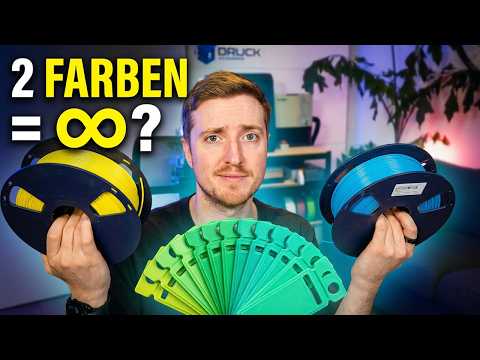
In diesem Video wird das neue Color-Mixing-Feature im Bambu Studio vorgestellt, das es ermöglicht, Farben virtuell zu mischen, ohne physische Filamente in jeder Farbe zu besitzen. Der Tester zeigt verschiedene Mischverhältnisse und deren Auswirkungen auf die Druckqualität anhand von Beispielen.

In diesem Video lernst du, wie du TPU-Filament erfolgreich druckst, indem du die richtigen Slicer-Einstellungen anpasst. Der Fokus liegt auf dem Flashforge Creator 5 und dem Testen verschiedener Druckparameter für optimale Ergebnisse.

In diesem Video wird getestet, ob man druckbare 3D-Modelle nur durch KI-Chat erstellen kann. Der Prozess zeigt sowohl Erfolge als auch Herausforderungen, insbesondere bei der Nachbearbeitung der Modelle.

In diesem Video wird erklärt, wie man die wahren Kosten eines 3D-Drucks berechnet, indem man Strom- und Verschleißkosten im Orca Slicer einbezieht. Dies ist besonders nützlich für Kleinunternehmer und Maker, die die tatsächlichen Druckkosten ermitteln möchten.
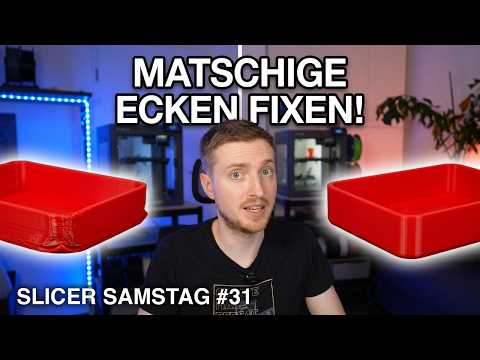
In diesem Video wird erklärt, wie die Layer Time die Druckqualität beeinflusst und welche Einstellungen für optimale Ergebnisse notwendig sind. Es werden praktische Tipps gegeben, um matschige Kanten und ungenaue Rundungen zu vermeiden.

Im Video wird der Flashforge Creator 5 getestet, der mit vier echten Toolheads für sauberen Multicolor-Druck ohne großen Materialabfall wirbt. Der Erfahrungsbericht beleuchtet die Funktionalität, Bedienung und Materialkombinationen, insbesondere die Nutzung von PVA als Supportmaterial.

In diesem Video wird gezeigt, wie man mit wasserlöslichem PVA-Filament perfekte Unterseiten beim 3D-Druck erzielt. Es werden wichtige Slicer-Einstellungen erklärt und ein Bonus-Tipp für einen eigenen Stützblock gegeben.

In diesem Video wird der TwoTrees U2 Ultraschall-Cutter getestet, um seine Effektivität beim Entfernen von Support-Resten und der Nachbearbeitung von 3D-Drucken zu bewerten. Der Vergleich mit einem herkömmlichen Skalpell zeigt die Vor- und Nachteile des Geräts auf.

In diesem Video lernst du, wie du einfarbige STL-Dateien in Multicolor-Drucke umwandelst, ohne CAD-Programme nutzen zu müssen. Das Maltool deines Slicers wird vorgestellt, um Farben direkt auf dein Modell anzuwenden.

In diesem Video wird erklärt, wie man Baum-Supports im 3D-Druck optimal einstellt, um Narben und beschädigte Details zu vermeiden. Zudem werden wertvolle Tipps gegeben, um die Druckeinstellungen effizient zu testen.

In diesem Video wird erklärt, wie man das Problem des Stringings beim 3D-Druck behebt. Es werden verschiedene Stellschrauben zur Verbesserung der Druckqualität vorgestellt und hilfreiche Tipps zur Kalibrierung gegeben.

Das Video präsentiert Meshy AI, eine Software zur Erstellung realistischer 3D-Scans aus Fotos. Besonders beeindruckend ist die Texturierung, die Modelle lebendig wirken lässt, ideal für Statuen und klare Silhouetten.

In diesem Video lernst du, wie du mit der KI Meshy AI aus Handyfotos beeindruckende 3D-Modelle generierst und diese selbst druckst. Der Prozess wird Schritt für Schritt erklärt, einschließlich Tipps zur Bildvorbereitung und den optimalen Druckeinstellungen.
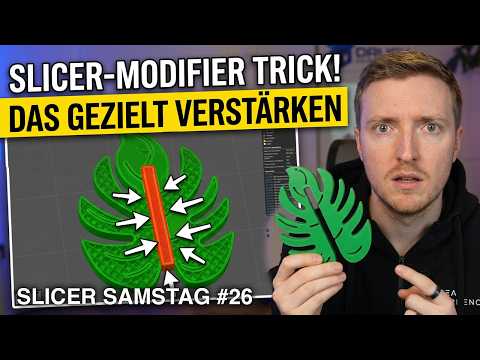
In diesem Video wird erklärt, wie man 3D-Druckteile gezielt verstärken kann, um Material und Zeit zu sparen. Der Fokus liegt auf der Verwendung von Slicer-Modifizierern für maximale Stabilität an kritischen Stellen.

In diesem Video wird der Anycubic Kobra 4 ausgepackt und auf seine Funktionen sowie Druckqualität getestet. Zudem gibt es eine Kaufberatung im Vergleich zu anderen Modellen wie dem Anycubic Kobra X und A1 Mini.

In diesem Video wird erklärt, wie man die perfekte erste Schicht beim 3D-Druck erzielt, um Wellen und Rillen zu vermeiden. Der Fokus liegt auf der Kalibrierung des Flow-Werts und der Nutzung des Orca Slicers.

In diesem Video wird der Revopoint POP 4 Scanner ausgepackt und die ersten Eindrücke vermittelt. Der robuste Koffer enthält alles, was für präzises Scannen unterwegs benötigt wird.

In diesem Tutorial wird erklärt, wie der Schwellwinkel richtig eingestellt wird, um Überhänge ohne unnötige Support-Strukturen zu drucken. Es werden Unterschiede zwischen verschiedenen Slicern und deren Messmethoden erläutert, um Filament zu sparen und die Druckzeit zu optimieren.

In diesem Video wird der Revopoint POP 4 3D-Scanner ausführlich vorgestellt und auf seine Vorzüge für Maker eingegangen. Der Hybrid-Scanner bietet zahlreiche Funktionen und wird in verschiedenen Testszenarien demonstriert.

In diesem Video wird erklärt, wie man festklebende Stützstrukturen beim 3D-Druck durch die richtige Justierung des Z-Abstands leicht entfernen kann. Der 'Sweetspot' von 0,25 mm wird als optimale Einstellung vorgestellt, um saubere Druckergebnisse zu erzielen.

In diesem Video wird gezeigt, wie man Löcher in einem 3D-Modell im Slicer vergrößern kann, ohne das CAD-Programm zu öffnen. Der Trick mit einem negativen Teil im Slicer ermöglicht eine einfache Anpassung der Bohrungen für perfekte Ergebnisse.

In diesem Video wird der Revopoint POP4 im ASMR-Stil ausgepackt. Der Zuschauer kann sich entspannen und das Unboxing-Erlebnis genießen, während die Funktionen des 3D-Scanners vorgestellt werden.

In diesem Video wird der innovative 'Fuzzy'-Modus vorgestellt, der beeindruckende 3D-Druckoberflächen erzeugt. Die Technik hilft, unschöne Layer-Linien und Z-Nähte zu verbergen, was die Oberflächenveredelung erheblich verbessert.
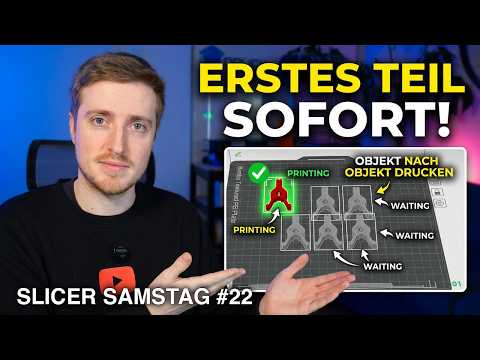
In diesem Video wird das sequentielle Drucken erklärt, um Wartezeiten zu minimieren und die Druckqualität zu verbessern. Der Zuschauer lernt, wie man die Druckreihenfolge anpasst und Filamentwechsel optimiert.

In diesem Video wird gezeigt, wie man Fotos in 3D-Figuren verwandelt, ohne Vorkenntnisse in 3D-Modellierung zu haben. Mit der Software Meshy 6 gelingt dies in nur wenigen Minuten und bietet eine hohe Qualität der Modelle.

In diesem Video wird gezeigt, wie man mit Meshy 6 aus einem Foto eine individuelle 3D-Actionfigur erstellt. Die Nutzung von KI ermöglicht es, komplexe Modelle in kürzester Zeit zu generieren, ohne Vorkenntnisse im 3D-Modellieren zu benötigen.

In diesem Tutorial wird gezeigt, wie die Fuzzy Skin-Funktion in verschiedenen Slicern verwendet wird, um sichtbare Layer-Linien und Z-Nähte zu reduzieren. Der Fokus liegt auf den optimalen Einstellungen und der Anwendung dieser Technik für bessere Druckergebnisse.

In diesem Video wird gezeigt, wie man Löcher in einem 3D-Modell direkt im Slicer vergrößern kann, ohne ein CAD-Programm zu verwenden. Durch die Verwendung von negativen Teilen, wie Zylindern oder Gewinden, können Anpassungen effizient und schnell vorgenommen werden.

In diesem Video wird gezeigt, wie man den Bambu Lab P1S mit der BigTreeTech Panda Status LED-Bar und einer Silikonmatte aufwertet. Schritt für Schritt wird die Installation erklärt, um den Druckstatus sichtbar zu machen und den Bauraum sauber zu halten.

In diesem Video wird ein innovatives Messwerkzeug im Slicer vorgestellt, das es ermöglicht, Maße direkt im 3D-Modell zu überprüfen, ohne CAD-Programme öffnen zu müssen. Der Zuschauer lernt, wie man geometrische Abstände und Dicken präzise misst und erhält nützliche Tipps zur Skalierung von Modellen.

This video presents the Revopoint MetroY Pro 3D scanner, which allows for precise 3D scans to be created in no time. The scanner simplifies the measuring process and enables a quick implementation in 3D printing projects.

This video explains why rough surfaces occur in 3D printing and how to avoid them through proper slicer settings, particularly when ironing. Important aspects such as Ironing Speed and Flow are discussed to achieve a smooth surface.

This video showcases the four-color TPU printing with the Anycubic Kobra Max. The printer enables impressive results with flexible materials and a high number of filament changes per day.
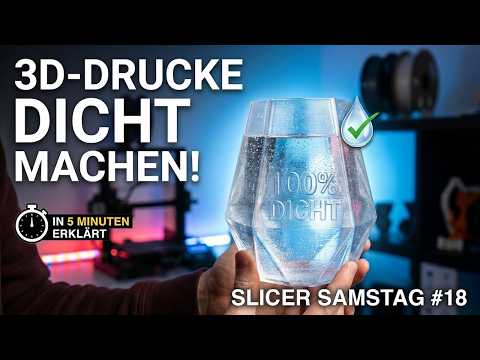
This video examines whether 3D prints are truly waterproof and how they can be adjusted accordingly. Specific slicer settings and material recommendations are provided to achieve optimal results.

This video explains the minimum threshold for infill in 3D printing. It demonstrates how to optimize the infill settings to improve both the efficiency and stability of the prints.

This video explains how to optimally use the Ironing function in the slicer to avoid rough surfaces. The viewer learns the perfect slicer settings for flawless 3D print surfaces and receives valuable tips on using calibration models. Additionally, the importance of the filament type for print quality is emphasized.

This video presents the Revopoint MetroY Pro 3D scanner to design a custom fitting for the activated carbon filter of the Anycubic Kobra S1 Max. The viewer will learn how to use the scanner in practice, edit the point cloud, and implement the design in Fusion 360. Additionally, tips on material selection and test printing are provided.

Revopoint MetroY Pro
Revopoint

Revopoint MetroY Pro
Revopoint
Revopoint MetroY Pro

Anycubic Kobra S1 Max
ANYCUBIC

Aktivkohle
Meine Kamera: Sony Alpha ZV-E10
Meine 2. Kamera: DJI Osmo Pocket 3
Mein Mikrofon: DJI Mic Mini

In this video, the first layer of the Anycubic Kobra S1 Max on the print bed is showcased. The viewer gets an insight into the print quality and the even surface of the first layer. This conveys a positive first impression of the printer's performance.

This video explains how to avoid visible Z-seams in 3D prints. The viewer learns to use the 'Scarf Seam' feature to achieve invisible transitions and find optimal print settings for a flawless surface.

In this video, the creator shows how to achieve smooth surfaces in 3D prints with simple slicer settings, without having to use the ironing function. The viewer learns how to calibrate the flow rate, adjust the infill pattern, and increase the number of shell layers to improve print quality.
* Produktlinks sind Affiliate-Links. Bei einem Kauf erhalten wir eine kleine Provision – für dich bleibt der Preis gleich.